Description
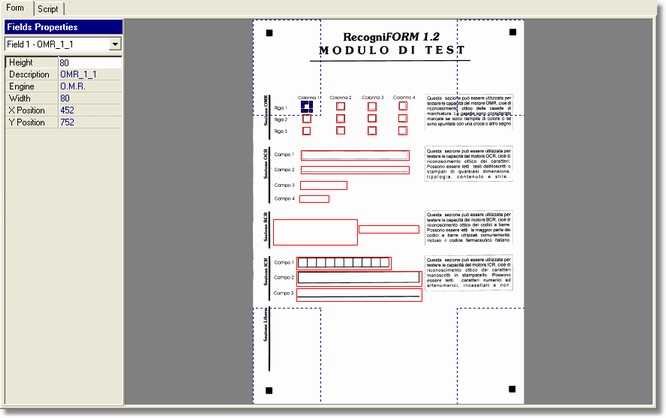
The Form section shows the image into the Application settings dialog.
How to get it
Start the application.
Content
- Fields Functions
Functions can be modified directly by the customer in these boxes.
ID Field: field code.
Height: rectangle height that defines the field area.
Description: data type.
Engine: engine type used for the recognition.
Width: rectangle width that defines the field area
Position X and Position Y: rectangle position inside the image.
It is shown the image that is the form where it can define the fields position as well as the data type to be recognized. The image viewing can be modified by using the commands from View menu or the Tools bar commands.
Notes
None.