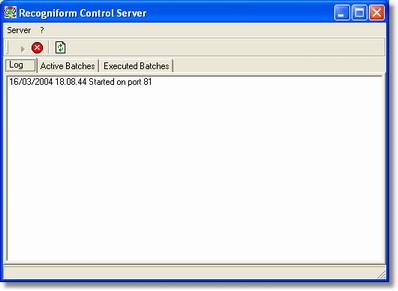
When it starts it waits for connection on port 2001 but you can change this port editing the registry.
You have to configure other clients to use server IP and port where the server waits.
After starting, server reduce it automatically at icon on trybar: with a double click or with the right mouse button you can display the main window.
The main window allow to show some sections: Log, Active Batchs, Executed Batches,
In Log section is reported the log on operation, as connection with client, data sent or received, and so on.
In Active Batches section is reported a list of all batches requiring some operation.
In Executed Batches section is reported a list of all batches already processed.
Using the Refresh command of Server menu you can update the window content.
You can also stop the server using the Stop command from Server menu, or restart it using the Start command form Server menu.
Closing the server you don't lost data and the job will be resumen when you will re-use it.
The batch data are stored in two subdirectories in the same .exe directory, called by default \PROGRESS and \TERMINATED