Description
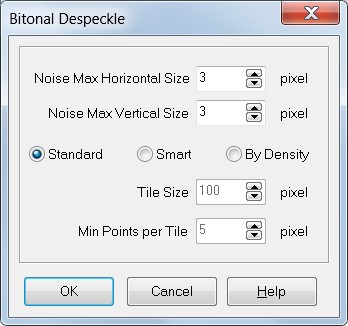
Despeckle Dialog allows to set despeckling function parameters that will be automatically written in Processing Script section text area.
How to get it
Select Despeckle into the Script popup menu
Options:
•Noise Max Horizontal Size:
the maximum horizontal size of speckle fragment to delete;
•Noise Max Verticalal Size:
the maximum vertical size of speckle fragment you want to delete;
•Standard:
the Standard type of despeckling
•Smart
the Smart type of despeckling
•By Density
the zonal type of despeckling
•Tile Size:
the side lenght of the square area (tile) used for analyzing the image;
•Min Point per Tile:
the minimum number of black points for each tile. Under this value zone is considered speckle;