Description
The Noise Filter Dialog allows user to set noise filter function parameters that will be automatically written in Processing Script sectiontext area.
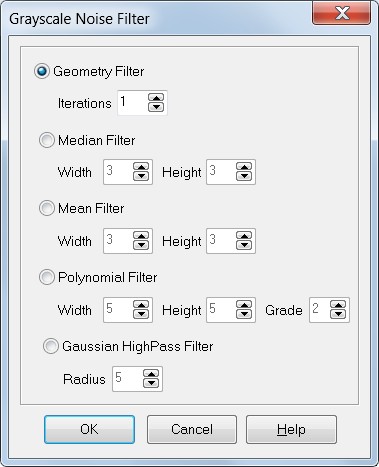
How to get it
Select Noise Filter into the Script popup menu
Options:
•Geometry Filter:
Select the filter type and set the number of iteration (grayscale);
•Median Filter:
Select the filter type and set the window size (color or grayscale);
•Mean Filter:
Select the filter type and set the window size (grayscale)
•Polynomial Filter:
Select the filter type and set the window size and the polynomial grade (grayscale)
•Gaussian HighPass Filter:
Select the filter type and set the radius. Please note that this filter can work only on grayscale images.