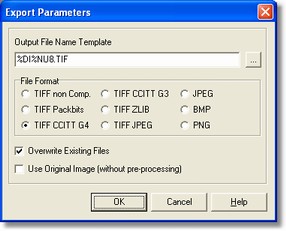
The Export parameters dialog allows to specify the output file name template and its format.
How to get it
Select the Processing command from Fields menu after placing on the Export field.
Options
| - | Output File Name Template
|
| - | File Format
|
| - | Overwrite Existing File
|
- Use Original Image (without Pre-processing)
It shows the original image got without applying the pre-processing.
Notes
None.